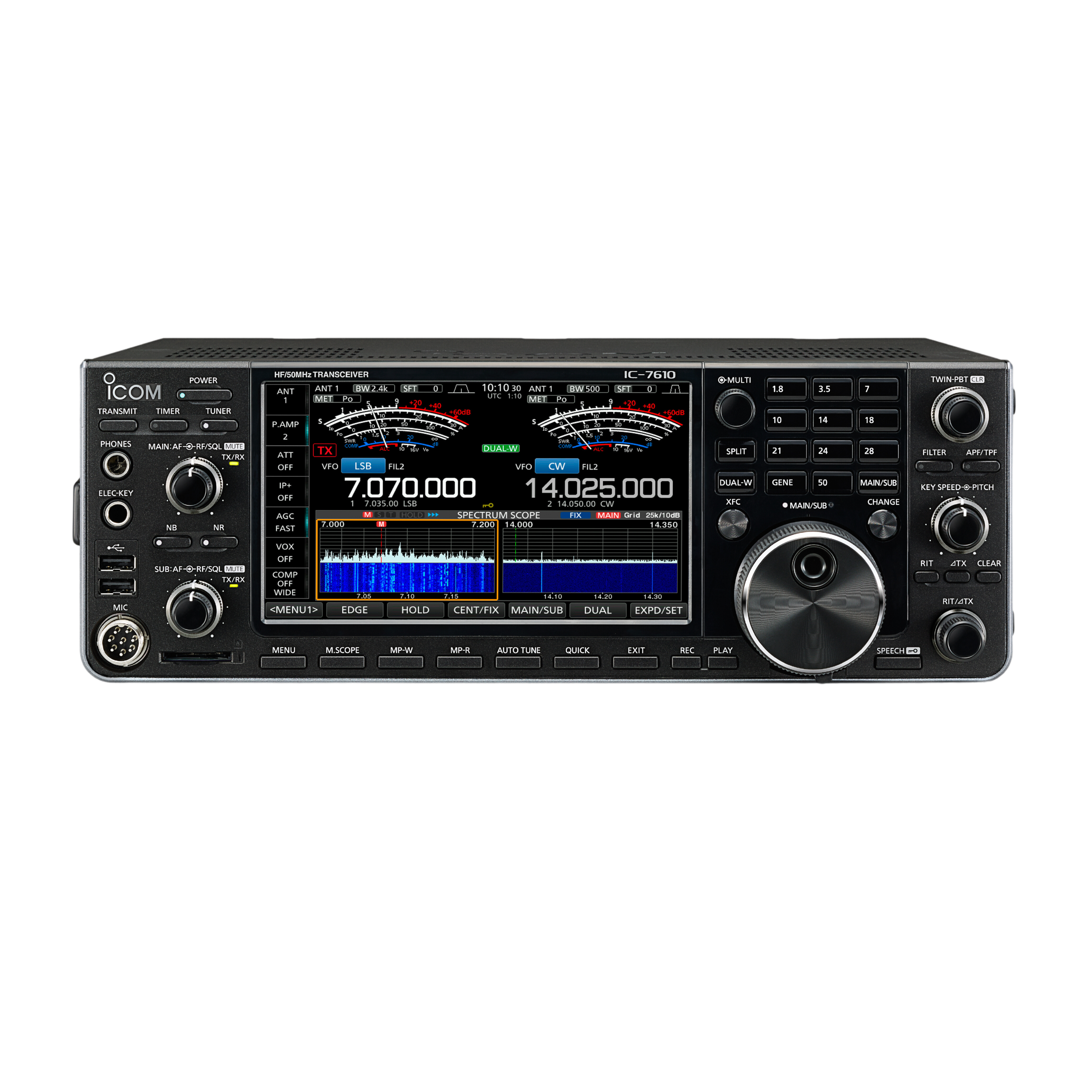
HamMixer
Your Complete and Free Ham Radio Station App Suite
Control your radio, mix WebSDRs audio and make remote QSOs — from computer or mobile
What is HamMixer?
A professional-grade ham radio mixer and control suite that brings your entire station under one unified interface. Mix and synchronize live transceiver audio with WebSDR receivers, control every radio parameter and make QSOs remotely from anywhere in the world via computer or mobile phone — all with military-grade encryption and near-zero delay.
HamMixer Desktop
Windows
Full-featured audio + WebSDR mixer, radio control, waterfall display, CW keyer with BLE iambic paddle, Mic DSP, and remote client. Your complete desktop station manager.
Local & Remote ControlHamMixer Server
Windows
Runs at your home station, providing a transparent encrypted tunnel between your radio and remote clients. Set it and forget it.
Runs at Home StationHamMixer Mobile
Mobile
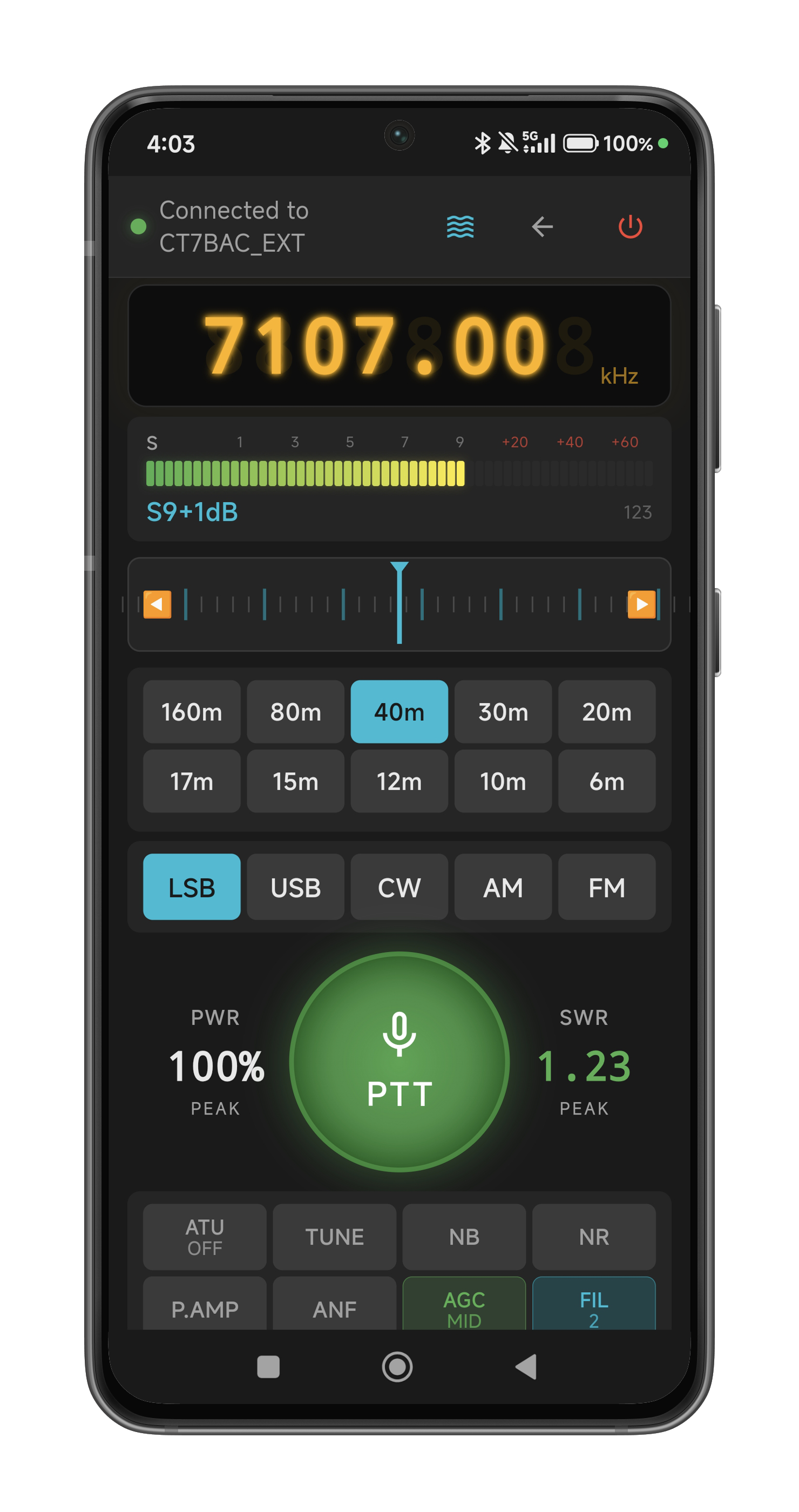
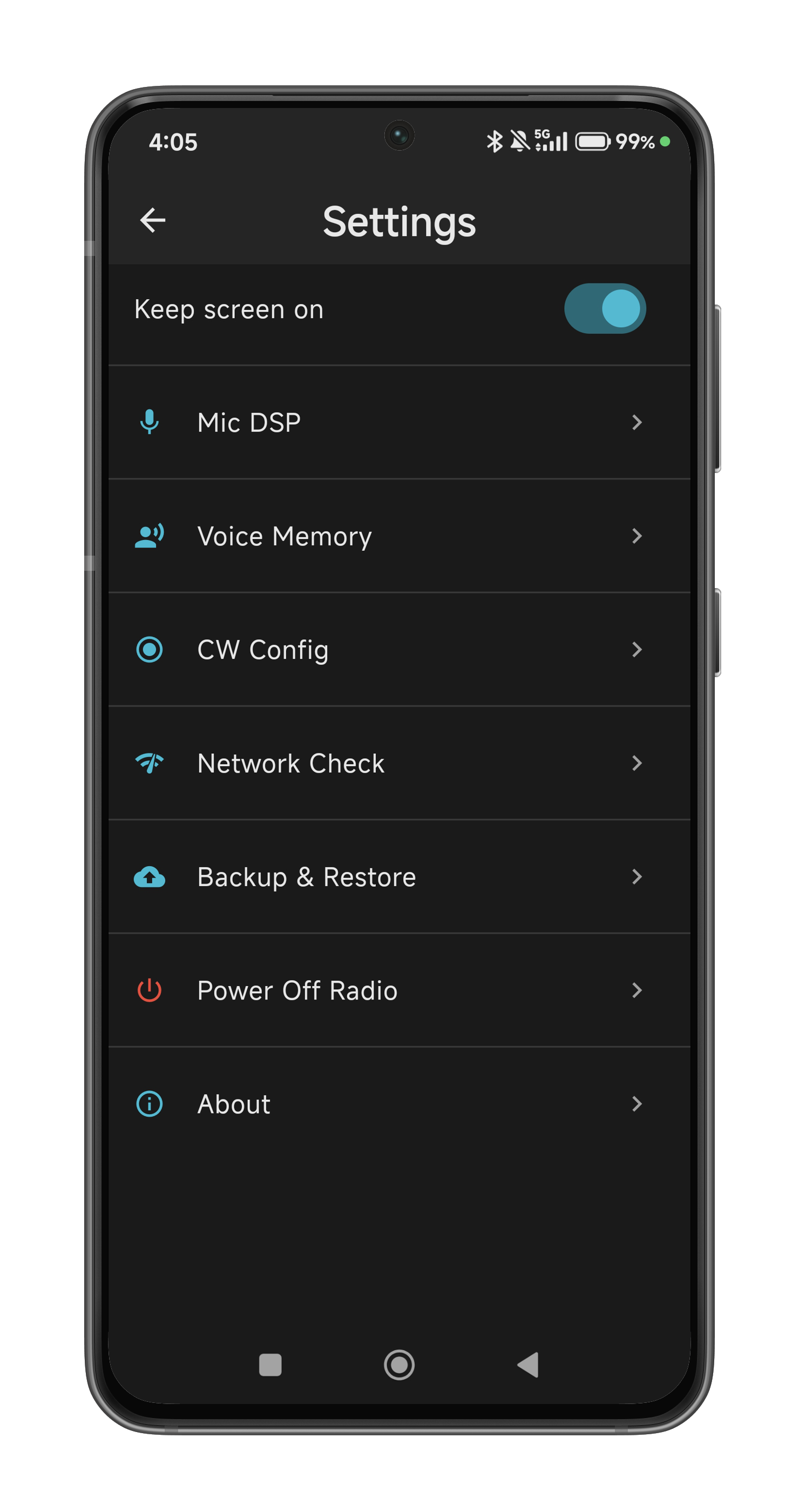
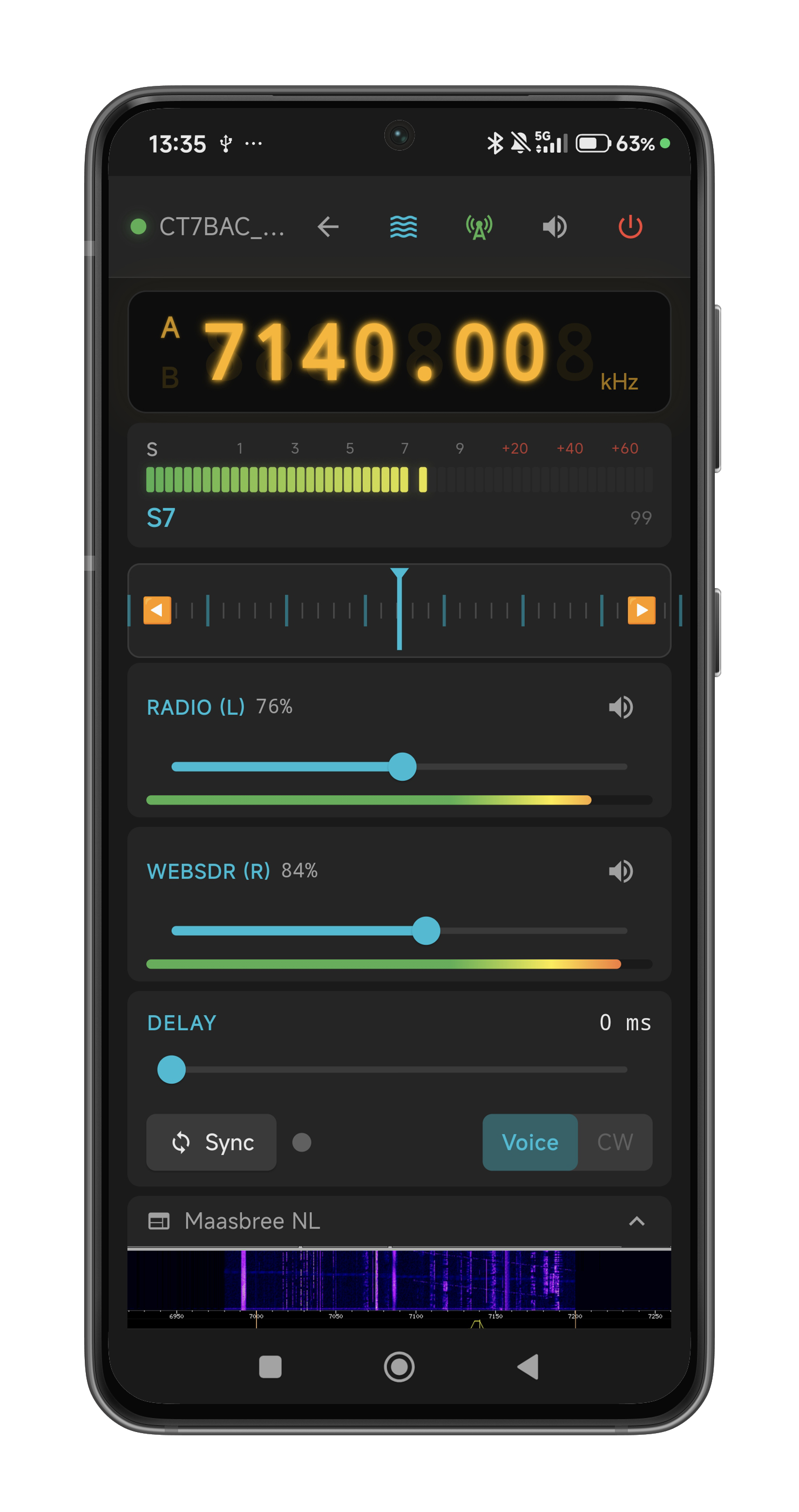
Touch-optimized remote control with WebSDR audio mixer, velocity tuning wheel, BLE VFO encoder, BLE CW iambic paddle, Bluetooth keyboard, split mode, PTT, full waterfall display, voice memory, CW macros, logging and Mic DSP — from your pocket.
Control from AnywhereCommand Center
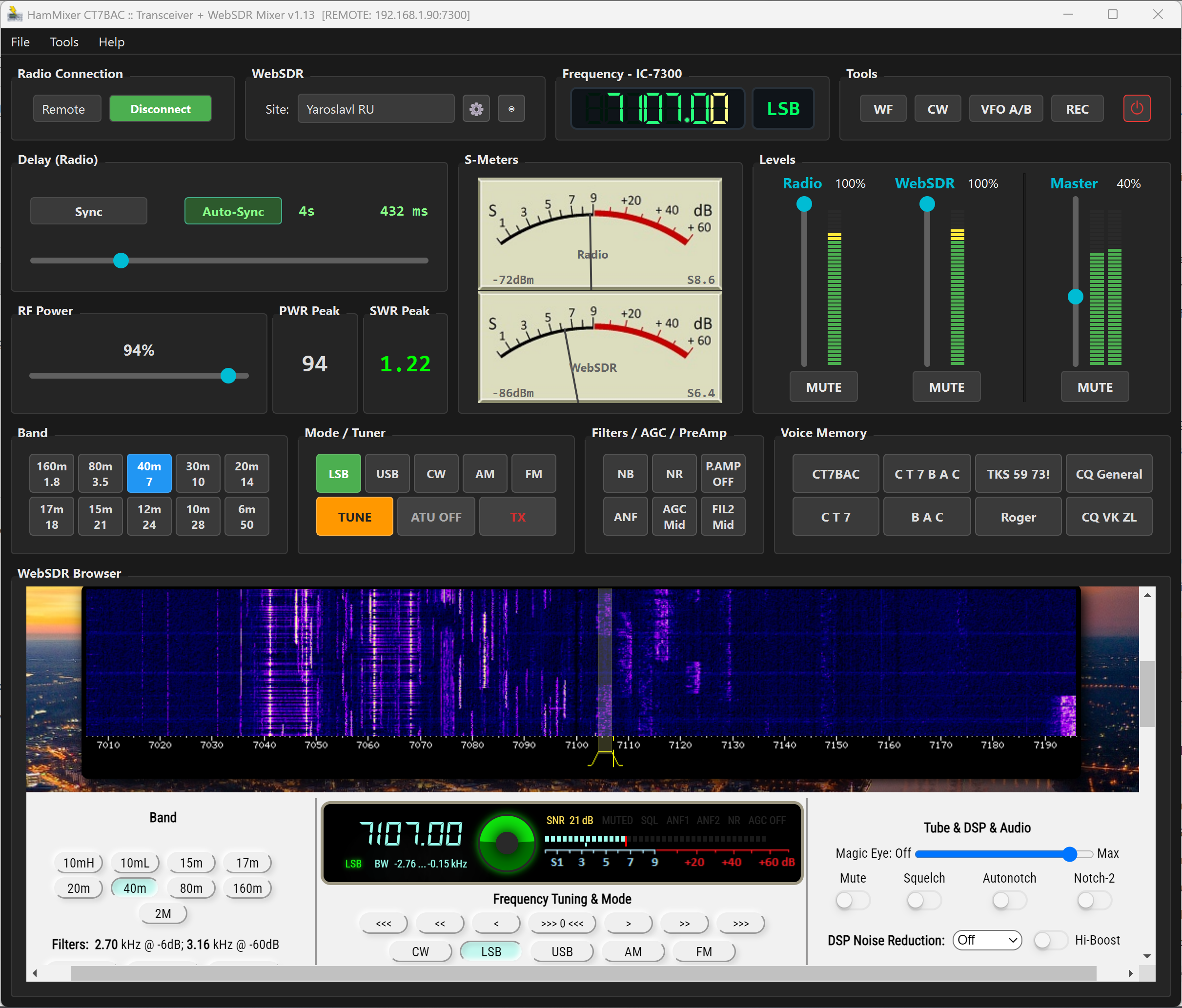
A professional audio mixer and radio control interface, built for serious operators.
Dual-Source Audio Mixer
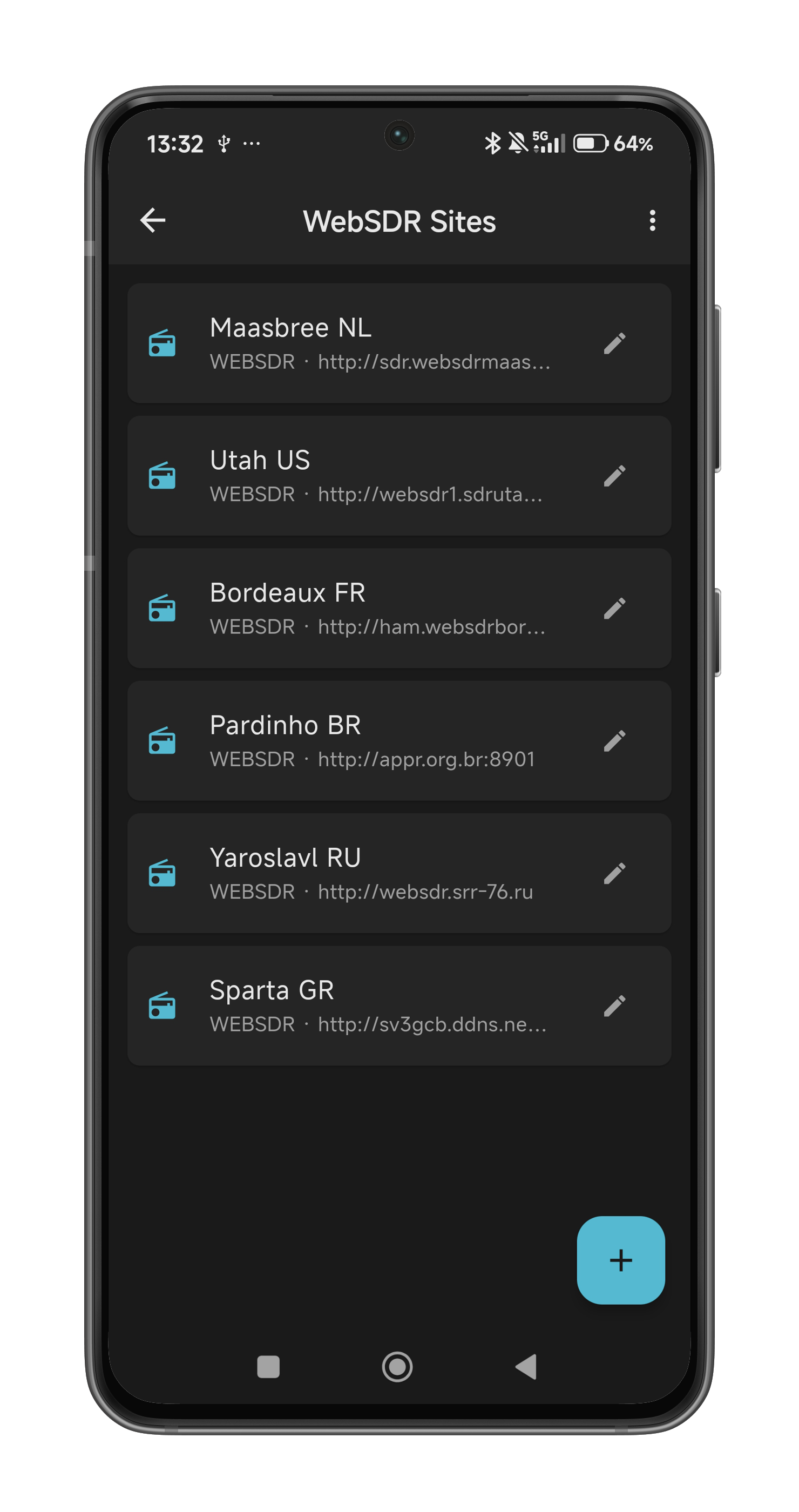
Mix radio audio with any WebSDR or KiwiSDR site of your choice, with automatic delay synchronization
Full Radio Control
Frequency, mode, filters, AGC, preamp, attenuator, tuner, power — everything at your fingertips
Synchronized Radio + WebSDR Control
Changing frequency, band, or mode on the radio automatically updates the WebSDR — and vice versa — for seamless operation
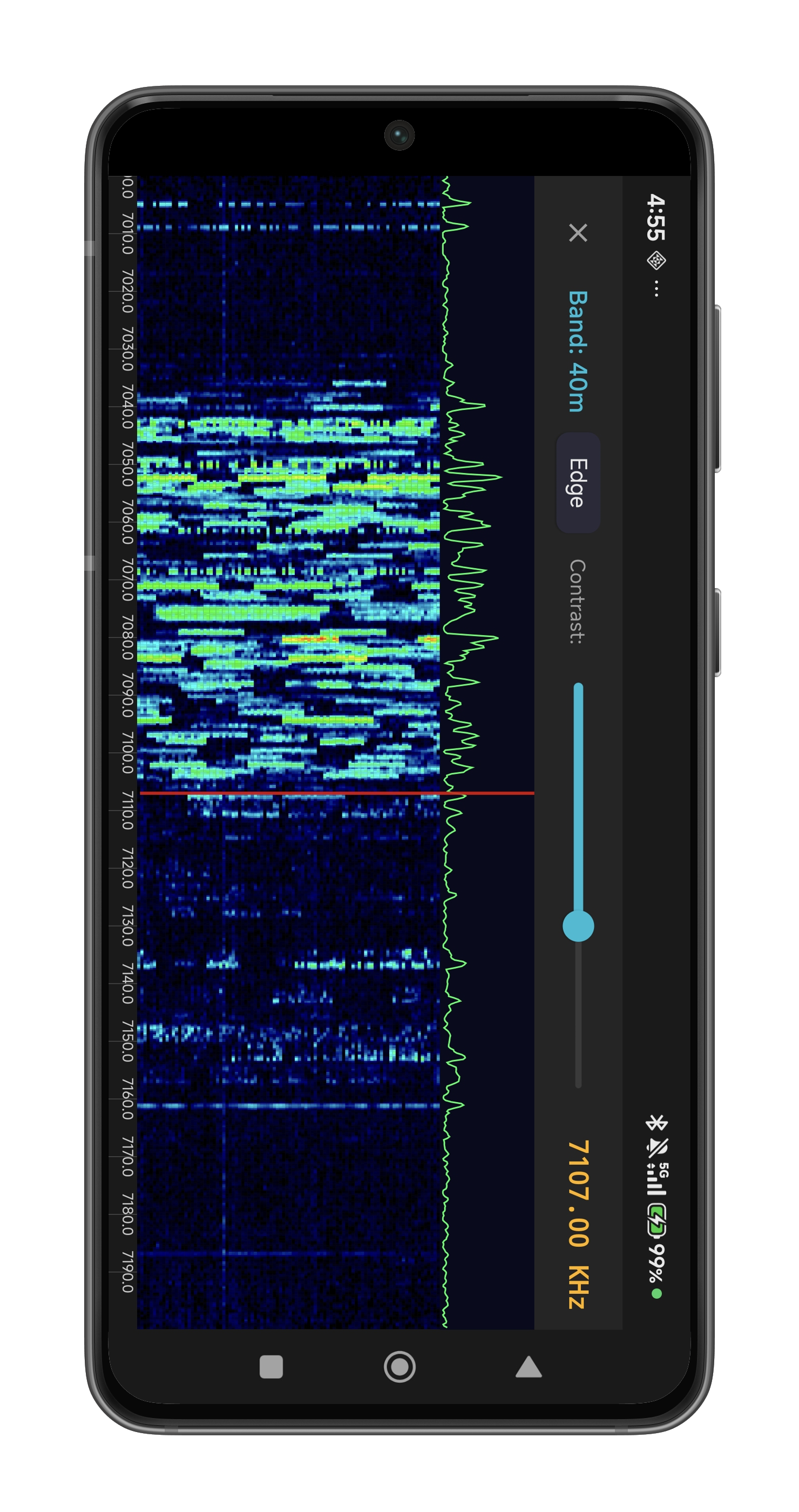
Real-time Waterfall Display
Spectrum scope with click-to-tune and drag tuning directly on the display. Requires a radio with built-in spectrum scope output.
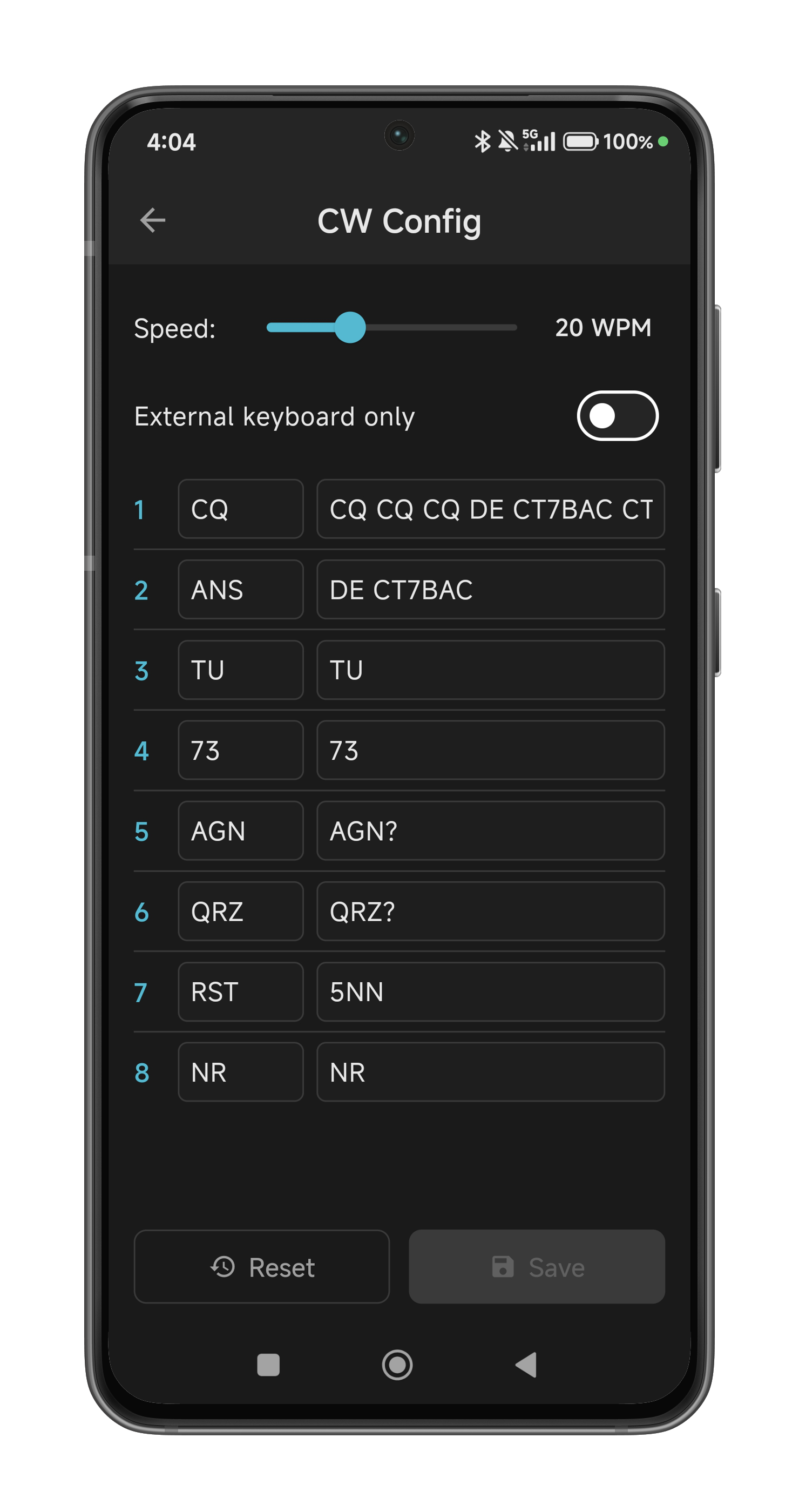
Voice Memory & CW Keyer
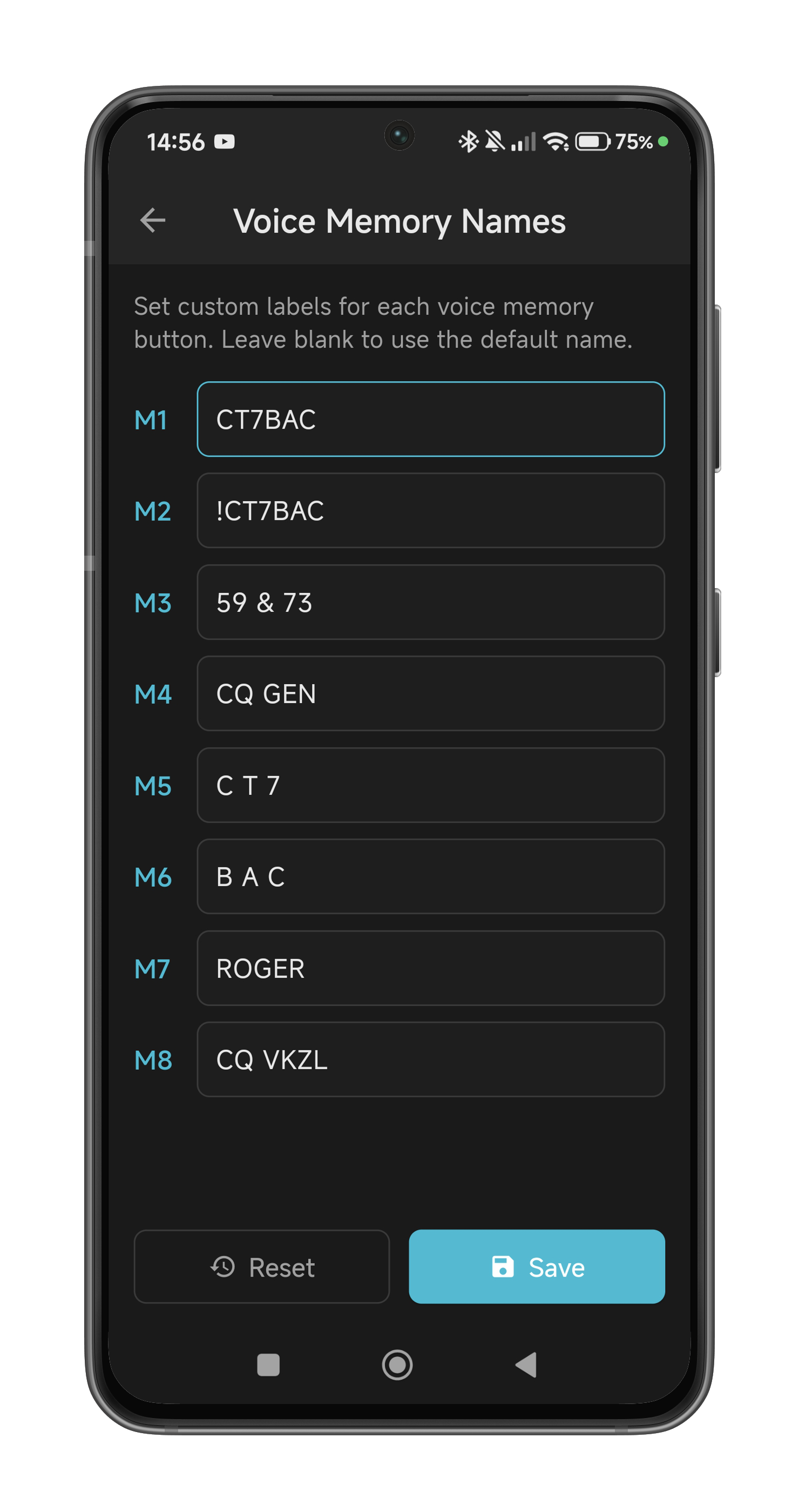
8 voice memory buttons, CW keyer with 12 macros, and BLE iambic paddle support with local sidetone
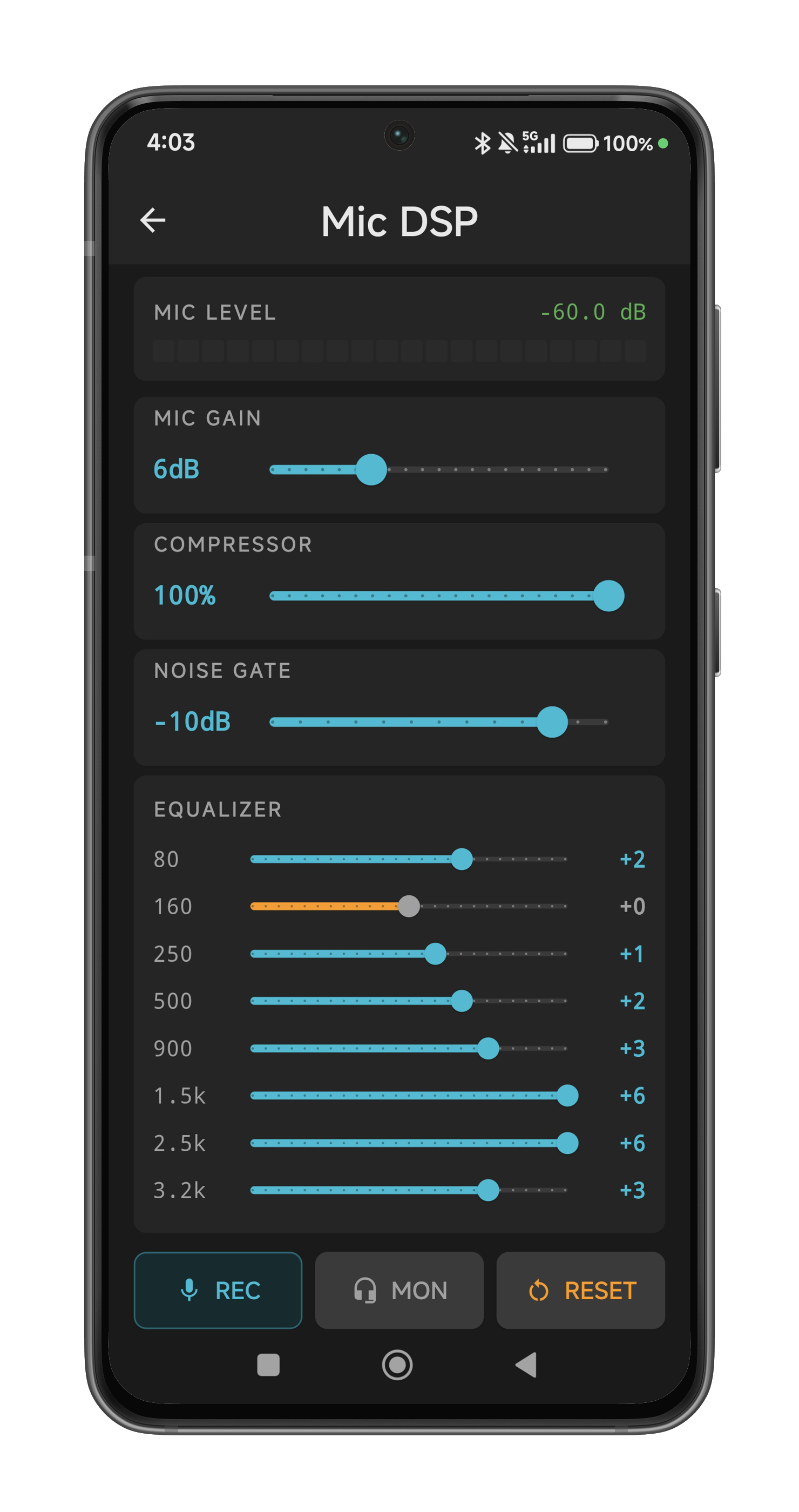
Full Mic DSP Processing
Gain control, compressor, noise gate, and 8-band parametric equalizer
S-Meter, Power & SWR
Real-time peak visualization for signal strength, output power, and SWR
Audio Recording
Record your QSOs in WAV format at 48 kHz stereo quality
HRD Logbook Integration
Built-in TCP server emulation for Ham Radio Deluxe logbook sync
USB Controller Support
Map keyboards, encoders, and button modules with customizable function assignments
Encrypted Remote Operation
TLS-encrypted control channel plus AES-128-CTR encrypted audio stream
Your Station in Your Pocket
Full remote control and QSO from your mobile, optimized for touch.
Everything You Need
A comprehensive feature set across all platforms.
Direct or Remote Connection
Serial/USB locally, or encrypted network for remote operation from anywhere
Radio + WebSDR Mixer
Combine live transceiver audio with any WebSDR or KiwiSDR site of your choice, with automatic delay synchronization *
Full Radio Control
Frequency, mode, filters, AGC, preamp, attenuator, tuner, power — complete control
Remote QSO
Negligible delay for real-time remote operation — feels like sitting in front of your radio **
Real-time Waterfall
Spectrum scope with click-to-tune and drag tuning, both locally and remotely. Requires a radio with built-in spectrum scope output.
Voice Memory & CW Macros
Customizable voice memory buttons, CW text macros, and BLE iambic paddle with low-latency sidetone
CW Keyer
Live or buffered CW text keying with adjustable speed and 12 macros. On mobile, connect a BLE iambic paddle for real-time CW over remote operation
QSO Logging
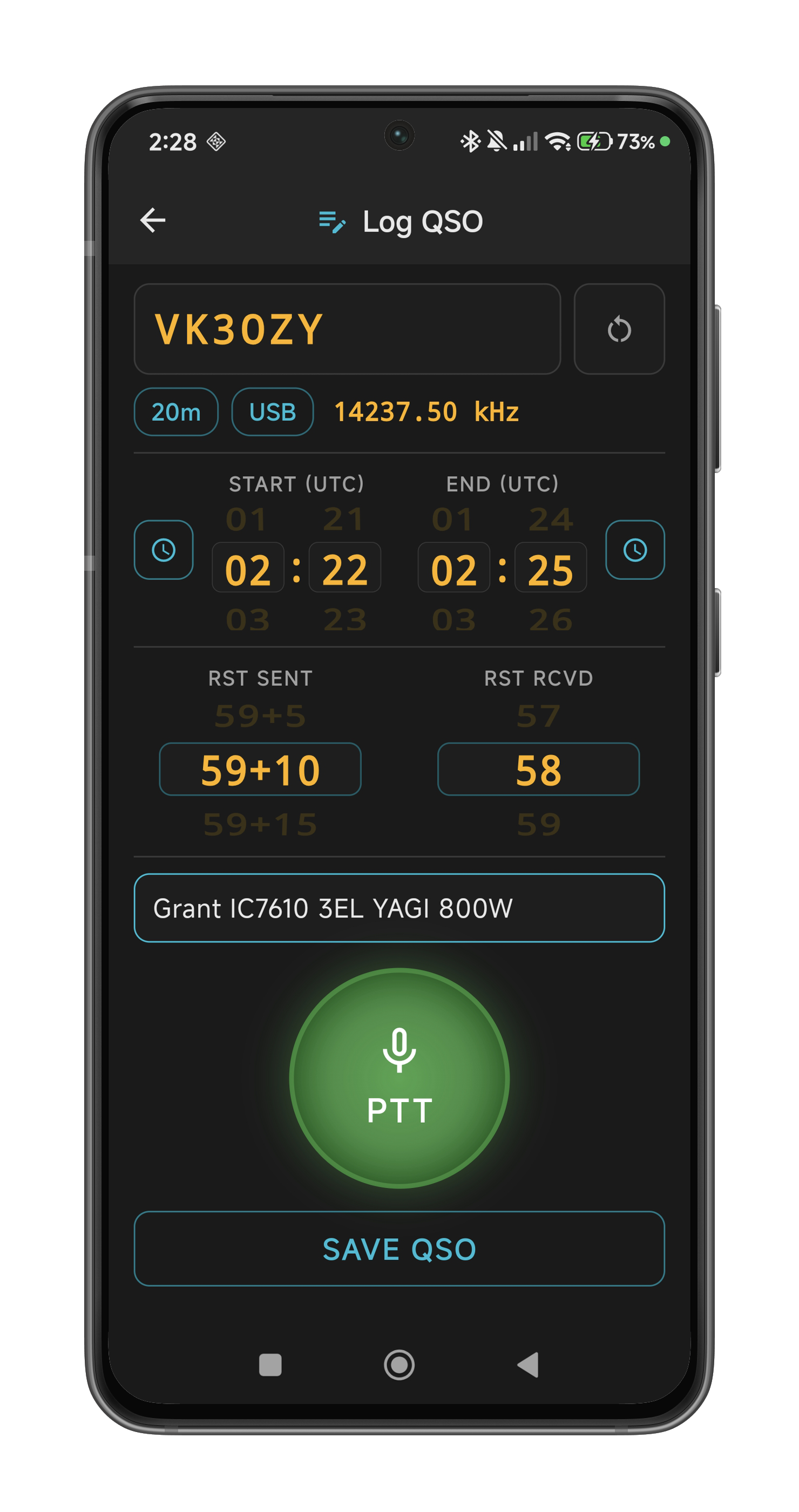
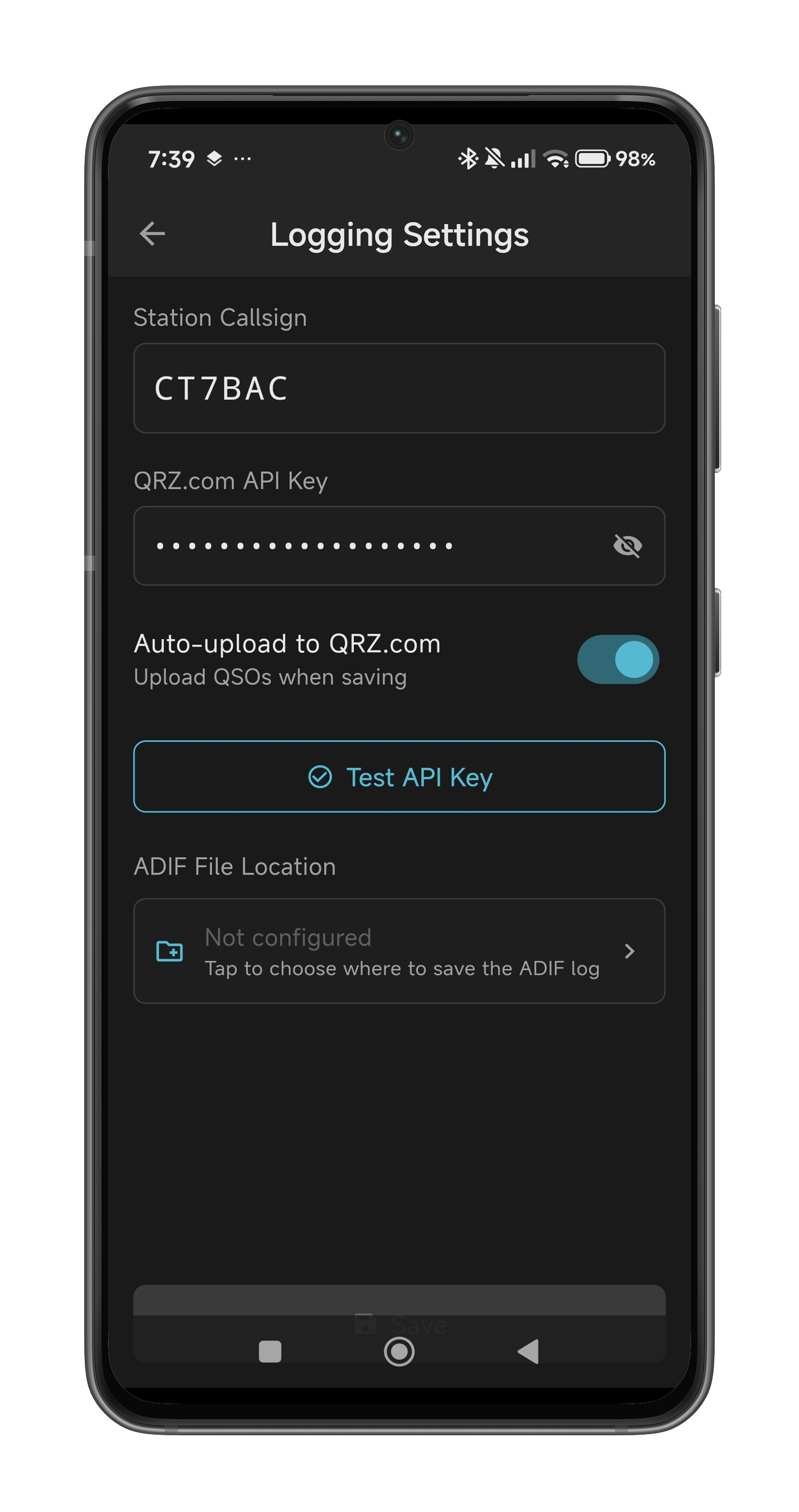
Log contacts to portable ADIF file with optional automatic upload to QRZ.com Logbook
Full Mic DSP
Gain, compression, noise gate, and 8-band parametric equalizer
S-Meter, Power & SWR
Real-time peak visualization for signal, output power, and SWR readings
USB & BLE Controller Support
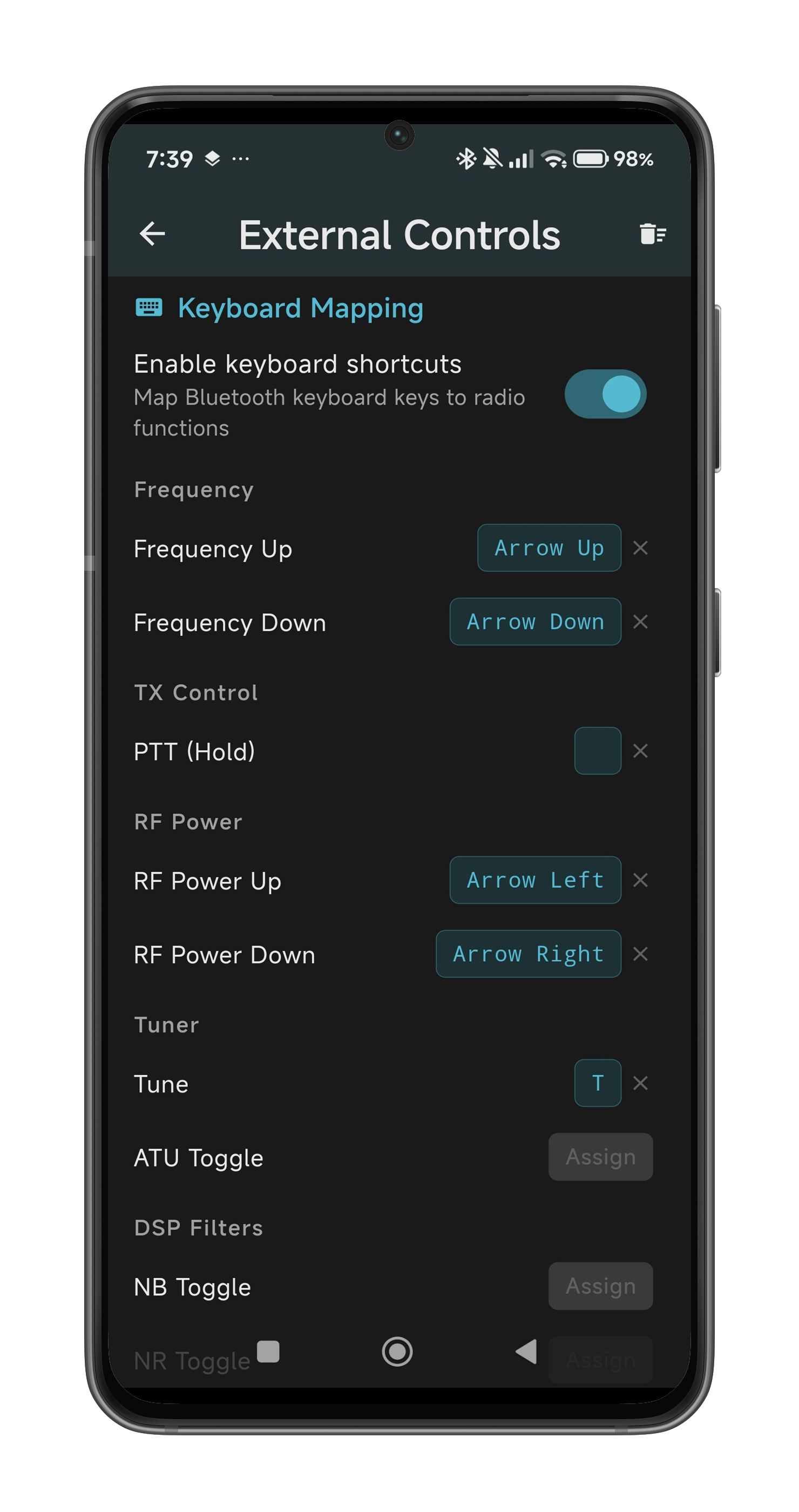
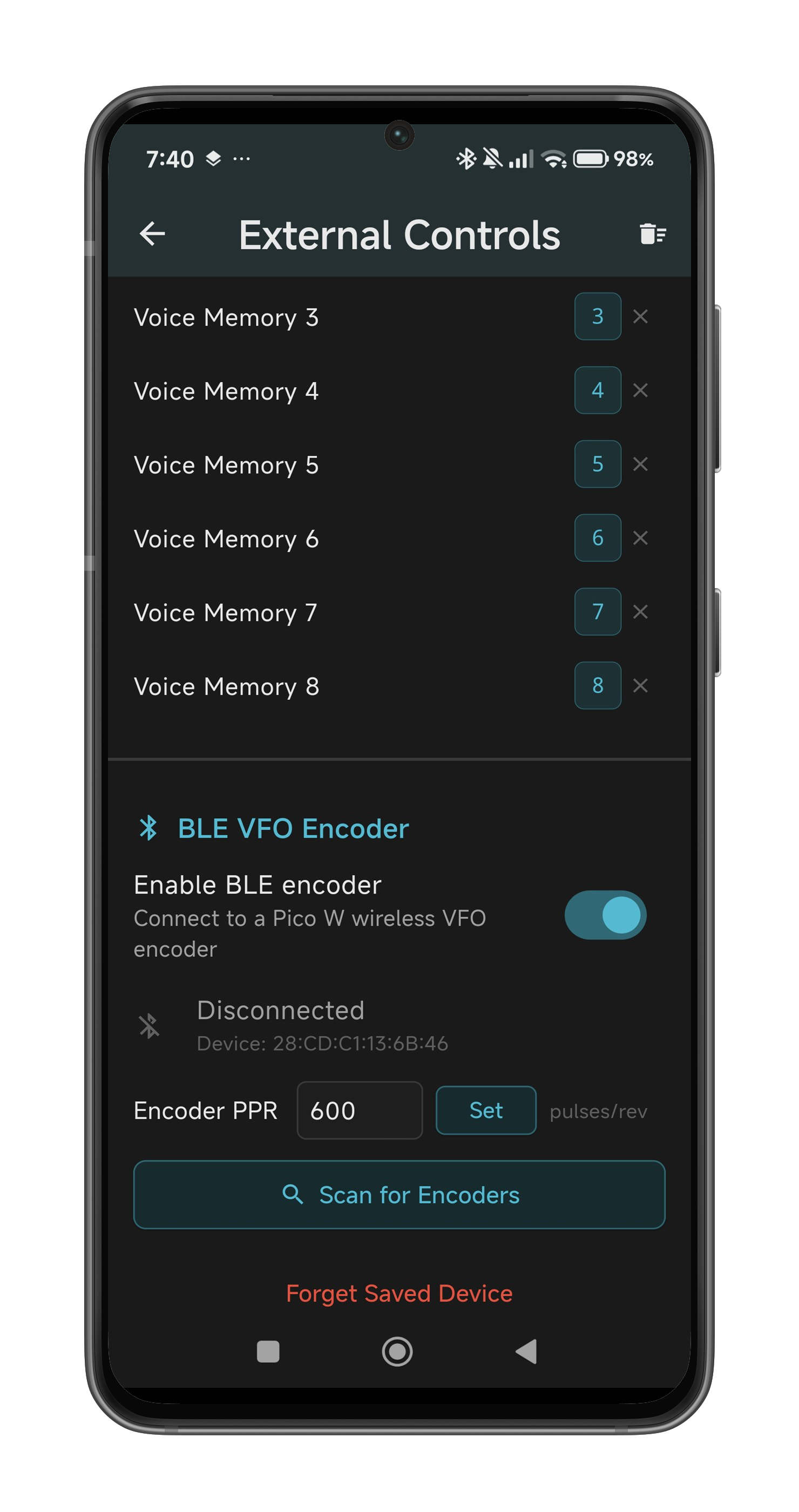
Map USB keyboards, encoders, and button modules. BLE accessory module with VFO encoder, buttons, and CW paddle on both desktop and mobile. Bluetooth keyboard on mobile
HRD Logbook Integration
TCP server emulation for seamless Ham Radio Deluxe logbook synchronization
Audio Recording
Record QSOs in WAV format at 48 kHz stereo quality
Band Memory
Automatic frequency and mode recall per band — switch bands instantly
Encrypted Communication
TLS 1.2+ for control, AES-128-CTR for audio — military-grade security
Auto-Reconnect
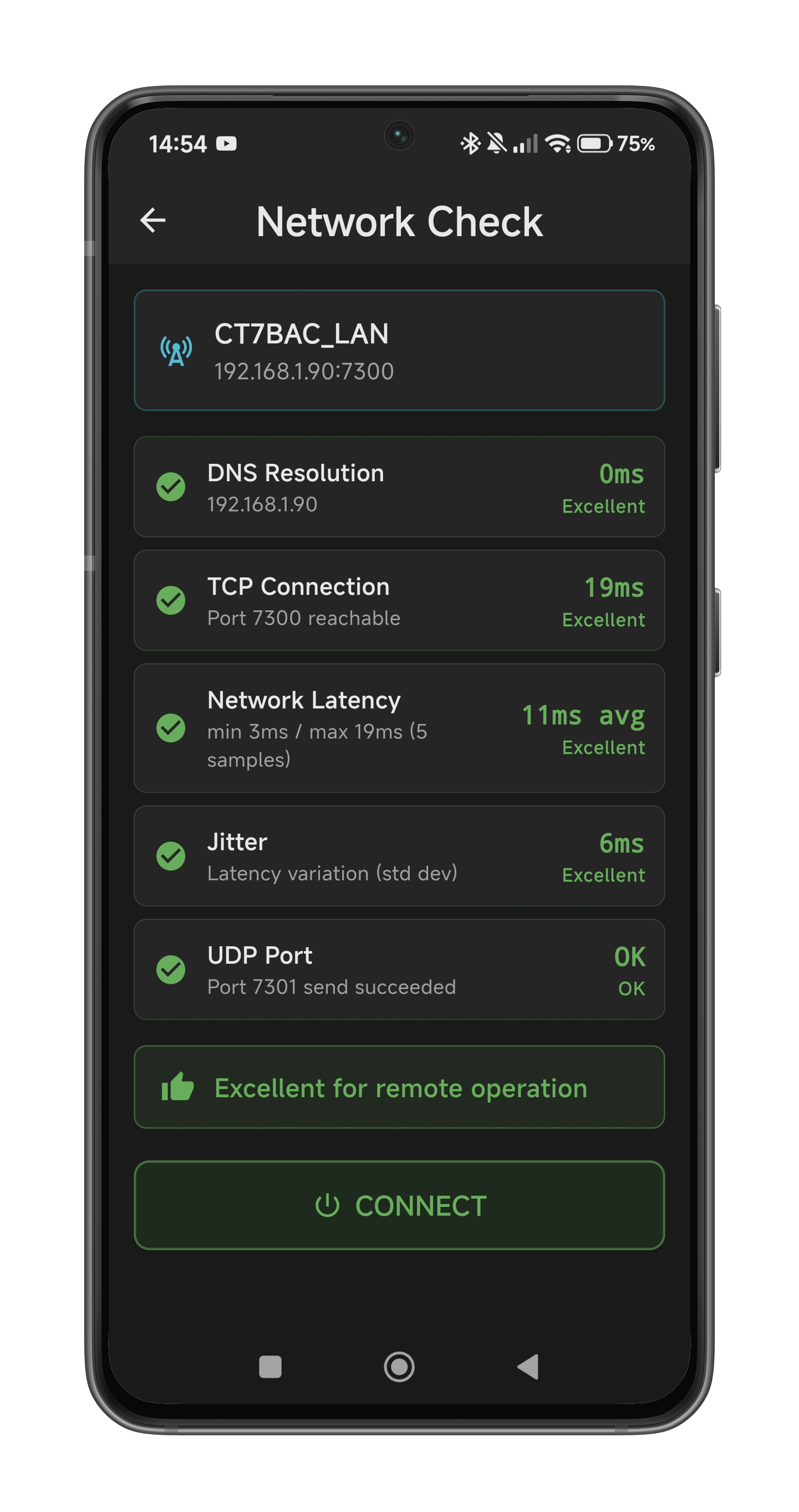
Automatic reconnection on network drops — never lose your session
DX Cluster
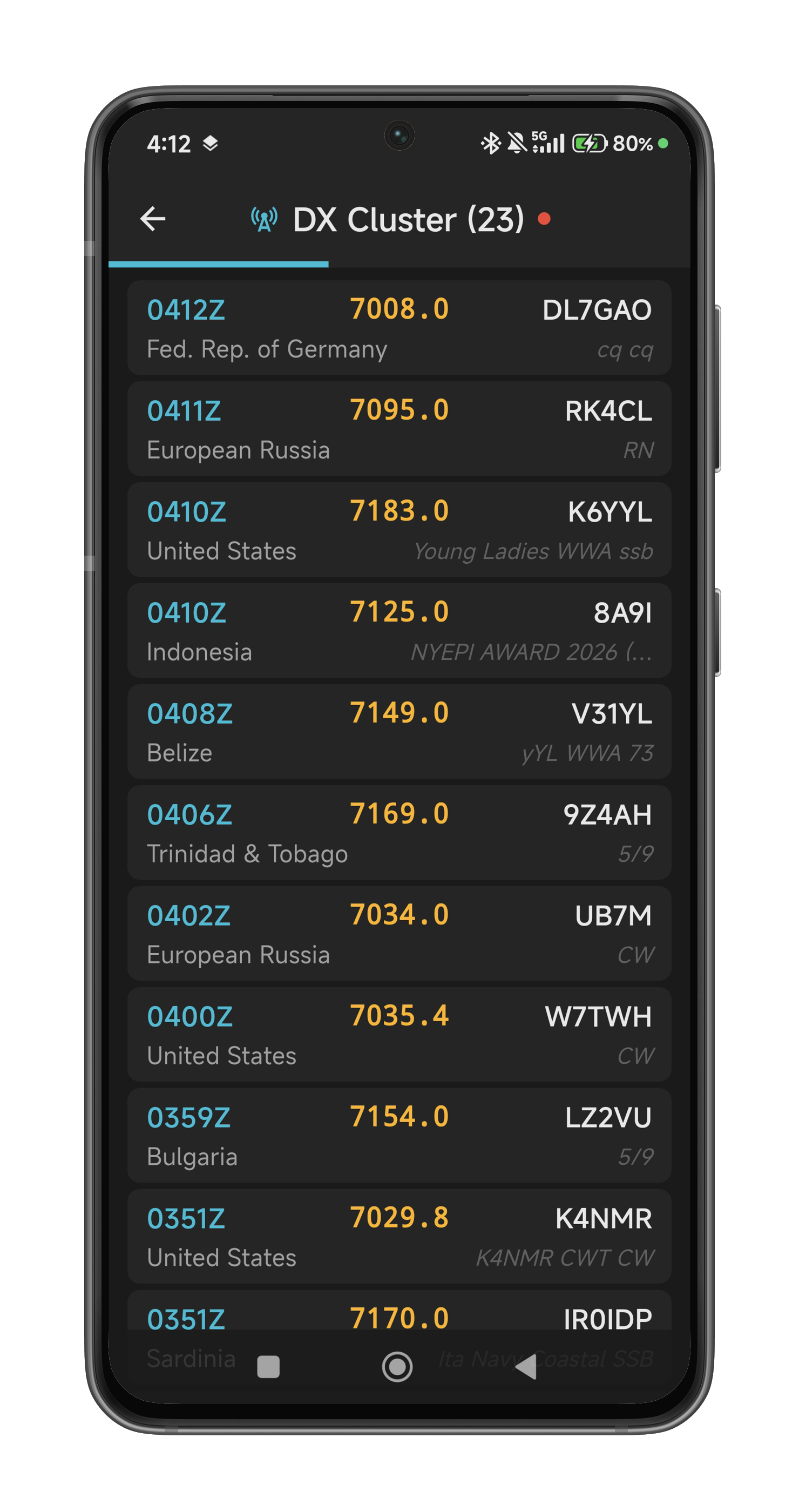
Real-time DX spots with alarm system, DXCC entity resolution, spot filtering, and one-tap tune-and-log
QRZ.com Lookup
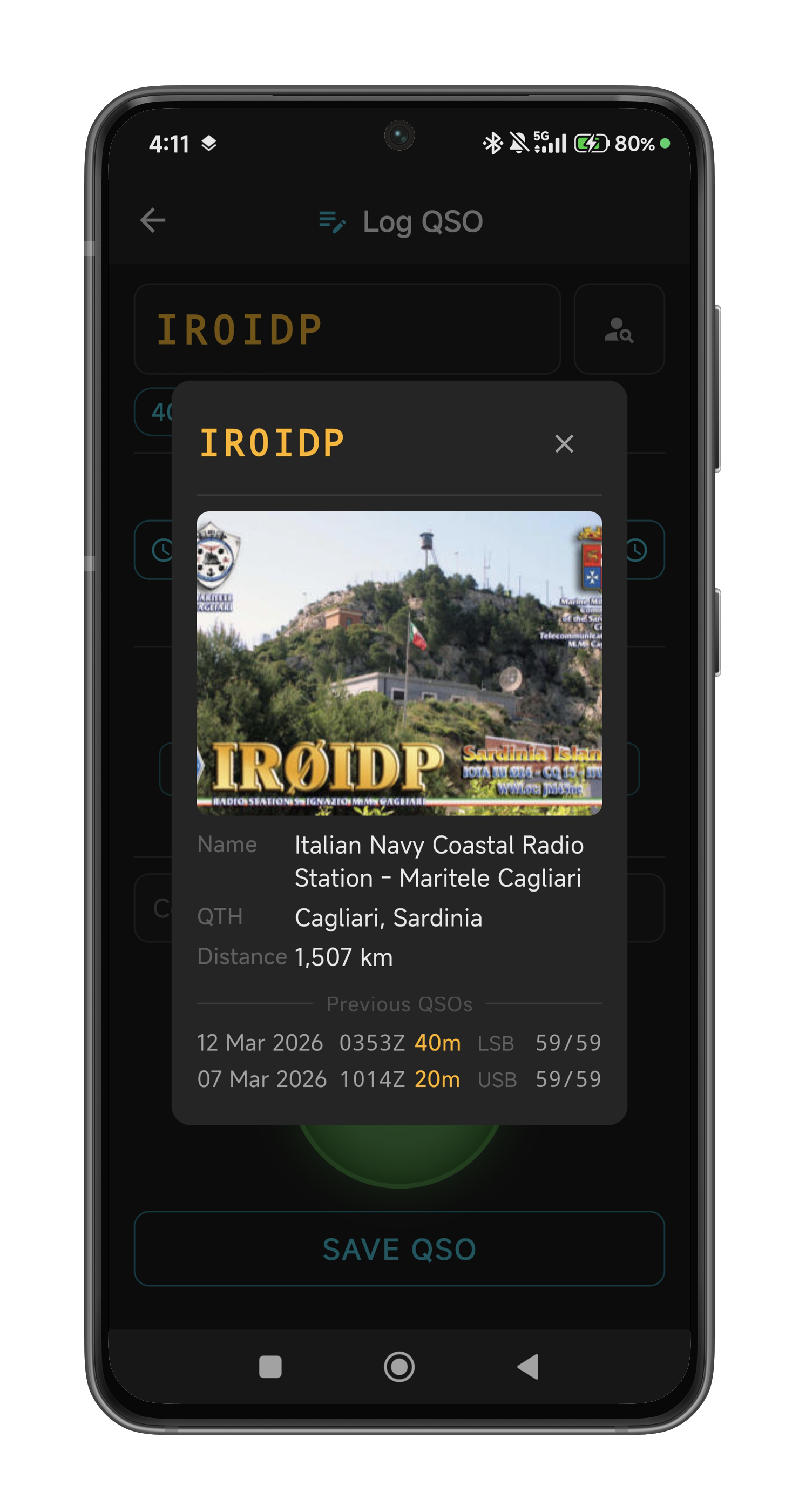
Instant callsign lookup with station photo, name, QTH, distance, and previous QSO history
* WebSDR mixer is available on desktop and mobile (Android & iOS)
** Delay depends on network conditions
Detailed Feature List
A complete breakdown of every feature across Desktop and Mobile.
| Feature | Desktop | Mobile |
|---|---|---|
| Dual-channel audio mixer (Radio + WebSDR) | — | |
| Per-channel volume, mute & pan controls | — | |
| Master volume & mute | — | |
| Crossfader (channel balance) | — | |
| Real-time level meters (dB peak display) | — | |
| Channel delay buffer (0–2000 ms) | — | |
| Auto-sync (delay alignment between channels) | — | |
| Audio device selection (input / loopback / output) | — | |
| VB-Cable setup wizard | — | |
| Audio recording (WAV 48 kHz 16-bit stereo) | — | |
| Auto-timestamped recording filenames | — | |
| Disk space monitoring & low-space warning | — | |
| Remote audio (Opus 48 kHz mono @ 48 kbps) | ||
| Bidirectional audio (RX + TX) |
| Feature | Desktop | Mobile |
|---|---|---|
| Add any WebSDR or KiwiSDR site of your choice | ||
| Embedded WebSDR browser view | ||
| Synchronized frequency/band/mode (radio ↔ WebSDR) | ||
| WebSDR S-meter readback & display | — | |
| Dual S-meters (Radio + WebSDR side by side) | — | |
| KiwiSDR WebSocket protocol support | — | |
| WebSDR audio delay compensation & GCC-PHAT sync | ||
| Per-channel volume, mute & level meters | ||
| Auto-load WebSDR on startup | — |
| Feature | Desktop | Mobile |
|---|---|---|
| Set & poll frequency (Hz precision) | ||
| Mode selection (LSB / USB / CW / AM / FM) | ||
| Band selection (160 m – 6 m, 10 bands) | ||
| Band memory with auto frequency/mode recall | ||
| Filter bandwidth selection & cycling | ||
| AGC speed (Fast / Mid / Slow / Off) | ||
| Noise Blanker (NB on/off, multi-level) | ||
| Noise Reduction (NR on/off, multi-level) | ||
| Auto Notch Filter (ANF on/off) | ||
| Preamp (Off / P.AMP1 / P.AMP2) | ||
| Attenuator toggle | ||
| Antenna Tuner (on/off & tune) | ||
| RF power control (slider, model-aware max) | ||
| VFO A/B exchange | ||
| Split mode (TX on alternate VFO) | ||
| PTT (push-to-talk) with TX status | ||
| Auto-detect radio brand & model | ||
| Auto-detect baud rate | ||
| Local serial/USB connection | — | |
| Auto-connect on startup | — | |
| Power off radio (soft shutdown) |
| Feature | Desktop | Mobile |
|---|---|---|
| S-Meter with peak hold & decay | ||
| TX Power meter with peak hold | — | |
| SWR meter with peak hold | — | |
| Real-time waterfall / spectrum scope * | ||
| Click-to-tune & drag tuning on waterfall * | ||
| Full-screen landscape waterfall mode * | ||
| Scope edge cycling * | ||
| Frequency LCD display | ||
| Band plan display (ITU Region 1 & 2) |
* Requires a radio with built-in spectrum scope output (e.g., IC-7300, IC-7610, IC-705, IC-9700).
| Feature | Desktop | Mobile |
|---|---|---|
| CW Keyer | ||
| CW text-to-morse keying | ||
| Adjustable CW speed (WPM) | ||
| Programmable CW macros | 12 | 8 |
| CW macro label customization | ||
| Dedicated CW window | — | |
| BLE iambic CW paddle (Mode A/B) with sidetone | ||
| Voice Memory | ||
| 8 voice memory playback slots (M1–M8) | ||
| Custom slot labels | ||
| QSO Logging | ||
| QSO log screen with live radio state | — | |
| ADIF 3.1.4 file output (portable log format) | — | |
| Automatic QRZ.com Logbook upload | — | |
| PTT & CW keying from log screen | — | |
| DX Cluster | ||
| Real-time DX spots via DX Spider Telnet | — | |
| DXCC entity resolution (CTY_WT_MOD + QRZ.com fallback) | — | |
| Long-press spot to tune radio & pre-fill QSO log | — | |
| Band-filtered spot list with live count | — | |
| Free-text spot filter (callsign, freq, country, comment) | — | |
| Alarm system with native sound & vibration alerts | — | |
| Auto-tune radio on alarm (Set Freq) | — | |
| Mic DSP Processing | ||
| Mic gain control (0–20 dB) | ||
| Compressor / limiter | ||
| Noise gate | ||
| 8-band parametric equalizer | ||
| Mic level meter (peak dB) | ||
| Feature | Desktop | Mobile |
|---|---|---|
| Remote client (connect to HamMixer Server) | ||
| TLS 1.2+ encrypted control channel | ||
| AES-128-CTR encrypted audio stream | ||
| Per-session encryption key (TLS exchange) | ||
| Automatic reconnection on network drops | ||
| Jitter buffer for smooth audio | ||
| Remote waterfall / spectrum display * | ||
| Remote TX with microphone audio | ||
| Heartbeat / keepalive monitoring | ||
| Network diagnostics (UDP streaming quality, packet loss, jitter) | — | |
| Background audio via foreground service | — | |
| Velocity-based tuning wheel with haptics | — |
* Requires a radio with built-in spectrum scope output.
| Feature | Desktop | Mobile |
|---|---|---|
| USB VFO encoder support (Pico firmware) | — | |
| Keyboard hotkey profiles (global, focus-independent) | — | |
| Serial button pad mapping (macro pad) | — | |
| Custom function assignments per key/button | — | |
| Multiple named profiles | — | |
| HRD logbook TCP server emulation | — | |
| Auto-launch external programs on radio connect | — | |
| Configurable launch delay per program | — | |
| BLE wireless VFO encoder (nRF52840 accessory box) | ||
| BLE PTT & TUNE hardware buttons | ||
| BLE CW paddle jack (3.5 mm TRS) | ||
| Bluetooth keyboard mapping (26 functions) | — |
| Feature | Desktop | Mobile |
|---|---|---|
| Radio Protocols (Local Connection) | ||
| Icom CI-V (binary protocol) | via tunnel | |
| Kenwood CAT (ASCII protocol) | untested | — |
| Elecraft CAT (ASCII protocol) | untested | — |
| Yaesu CAT (ASCII protocol, newer models) | untested | — |
| FlexRadio (Kenwood CAT compatibility) | untested | — |
| Settings & Configuration | ||
| Persistent settings (JSON / preferences) | ||
| Polling interval configuration | — | |
| Backup / restore settings | ||
| Keep screen on option | — | |
| Updates | ||
| Automatic update checker | ||
Supported Radios
Full support for Icom CI-V protocol with automatic model detection.
Icom CI-V Protocol
Fully SupportedAutomatic radio model detection at any supported baud rate (115200, 57600, 19200, 9600, 4800)
Kenwood, Elecraft & Yaesu CAT
Not Fully TestedKenwood
TS-480, TS-590, TS-890, TS-2000
Elecraft
K3, K3S, K4, KX2, KX3
Yaesu
FT-991A, FT-710, FTDX10, FTDX101D
This integration was implemented but never fully tested. Elecraft K3 and Kenwood TS-590 got some testing, so odds are better for those; other models are untested and may or may not work — try it and see for yourself.
Platform Support
Desktop & Server
Windows 10 or above (64-bit)
Available NowAndroid
Android 7.0+ (API 24)
Available NowiOS
iOS 15+
Available NowFree — Everything Included
HamMixer is 100% free, with no license key, no subscription, no registration, and nothing to buy.
HamMixer Suite
Desktop, Server & Mobile
no strings attached
- Full desktop application
- Local serial connection to radio
- WebSDR/KiwiSDR audio mixer
- All DSP & audio features
- Waterfall display *
- USB controller support
- HRD logbook integration
- Audio recording
- HamMixer Server application
- Remote operation from Desktop & Mobile
- Encrypted audio + control
- Remote waterfall streaming *
- QSO logging, ADIF export & QRZ.com upload (mobile)
- Free updates forever
Free to use, as-is. No support and no further development are planned.
* Waterfall/spectrum scope requires a radio with built-in spectrum scope output (e.g., IC-7300, IC-7610, IC-705, IC-9700).
Download HamMixer
Download HamMixer free today.
Getting Started
Read the manuals to set up and get the most out of HamMixer.
HamMixer Server
Setting up HamMixer Server, configuring port forwarding, and connecting remotely.
Read the ManualHamMixer Desktop
Installation, audio device configuration, connecting to your radio, and first QSO.
Read the ManualHamMixer Mobile App
Installing the mobile app, connecting to your server, and touch-based radio control.
Read the ManualFrequently Asked Questions
HamMixer is a complete ham radio station control suite developed by CT7BAC. It includes a Windows desktop client with a dual-source audio mixer, full radio control via CAT, DSP processing, waterfall display, and CW keyer. Combined with the HamMixer Server and Mobile App, it enables secure remote operation of your station from anywhere in the world.
HamMixer started as a personal project I built for my own station and shared with the community out of passion for the hobby. A new job now takes up the time I used to spend developing it, so I've made it free for anyone to use — no strings attached, no catch, no data collection. It's offered as-is, with no support and no further development planned.
HamMixer fully supports all Icom transceivers using the CI-V protocol, including IC-705, IC-7100, IC-7300, IC-7610, IC-7760, IC-7851, IC-9700, and any other CI-V compatible model. Kenwood, Elecraft, and Yaesu radios (ASCII CAT protocol) are also implemented but not fully tested — the Elecraft K3 and Kenwood TS-590 got some testing so odds are better for those, but other models are untested and may or may not work.
Yes — HamMixer is completely free to download and use, with no restrictions and no registration.
Yes. The mobile app connects to HamMixer Server running at your home station. The server provides the bridge between your radio and the mobile app over the internet. Both the Server and the mobile app are free.
Yes, for local operation. Connect your radio directly to your PC via serial/USB and use HamMixer Desktop without any internet connection. Internet is only needed for remote operation and WebSDR audio mixing.
Absolutely. Remote connections use TLS 1.2+ encryption for the control channel and AES-128-CTR encryption for the audio stream. The encryption key is exchanged securely over the TLS channel. Additionally, the server supports IP whitelisting and has built-in brute-force protection.
HamMixer Desktop and Server run on Windows 10+ only. The mobile app is available on both Android (Google Play) and iOS (App Store). There are no Linux or macOS versions, and none are planned.
The WebSDR mixer combines live audio from your transceiver with audio from internet-based WebSDR or KiwiSDR receivers. HamMixer automatically synchronizes the two audio streams (compensating for internet delay) so you can hear both sources mixed together in real-time. This is particularly useful for monitoring your own signal or for dual-diversity reception.
Yes, the mobile app is free to download and use. However, it requires HamMixer Server running at your home station to function — the mobile app connects to the server for remote radio control. HamMixer Server is also free.
No. The waterfall display requires a radio with a built-in spectrum scope that outputs data over its CAT connection. HamMixer reads this real-time spectrum data directly from the transceiver — it does not use an external SDR dongle or sound card FFT. Compatible models include the Icom IC-7300, IC-7610, IC-7760, IC-7851, IC-9700, and IC-705, all of which stream scope data via the CI-V protocol. Radios without a built-in spectrum scope output will work with every other HamMixer feature, but the waterfall will not be available.
No. HamMixer Server enforces a single-client exclusive lock by design. Only one client — whether the desktop app or the mobile app — can be connected at any given time. This is intentional for two reasons: first, for security, so that only one authenticated operator has control of the radio; and second, to prevent command collisions that would occur if two clients tried to send CAT commands to the same transceiver simultaneously. If a second client attempts to connect while one is already active, the connection will be rejected. To switch clients, simply disconnect the current session first.
Yes! If you have HamMixer Server running at your station, you can let a fellow ham operate your radio remotely. Simply share your server's IP address (or domain name), port, and login credentials with them. They can connect using either the HamMixer desktop client or the mobile app — the same way you would. Just keep in mind that only one client can be connected at a time, so you'll need to take turns. It's a great way to let a friend try a radio they don't own or give someone access to your antennas from a different location.
Your radio is protected. HamMixer Server has multiple safety mechanisms: a heartbeat timeout that releases PTT within 10 seconds if the client stops responding, instant TCP disconnect detection that releases PTT within milliseconds on a clean socket drop, a PTT watchdog timer that automatically stops any transmission after 2 minutes as an ultimate safety net, and an emergency PTT release that both the desktop and mobile clients send as their last action before closing the connection. In the worst case, your radio stops transmitting within 10 seconds.
Meet the Developer
Pedro Silva, Portuguese ham radio operator and software developer based in Braga, Portugal. HamMixer project was born from personal needs — enhance reception capabilities in a heavily noisy urban environment for casual QSOs with friends, nets, and groups, listening to WebSDRs in sync with the radio, and the desire to operate my station remotely with professional-grade tools, low latency, and no compromises, especially from mobile phone.
What started as a personal project evolved into a comprehensive suite that I'm proud to give back to the amateur radio community — created for fellow hams and offered completely free of charge. Every feature has been designed and tested on real-world ham radio stations, because I use HamMixer myself every single day. Work a VK station during an Uber ride through my mobile... Pure fun! A new job now means I can no longer dedicate time to this project, so it is offered as-is, with no support and no further development planned.
View on QRZ.com